We’re excited to share two updates – a smarter way to manage your photos and a faster way to reach us when you need help.
- A new Categorized Gallery that helps you organize, review, and improve your photos at a glance
- In-App Support, so you can message us directly from your FishingBooker Inbox — no more switching to email
What’s new
📸 Smarter photo management with Categorized Gallery
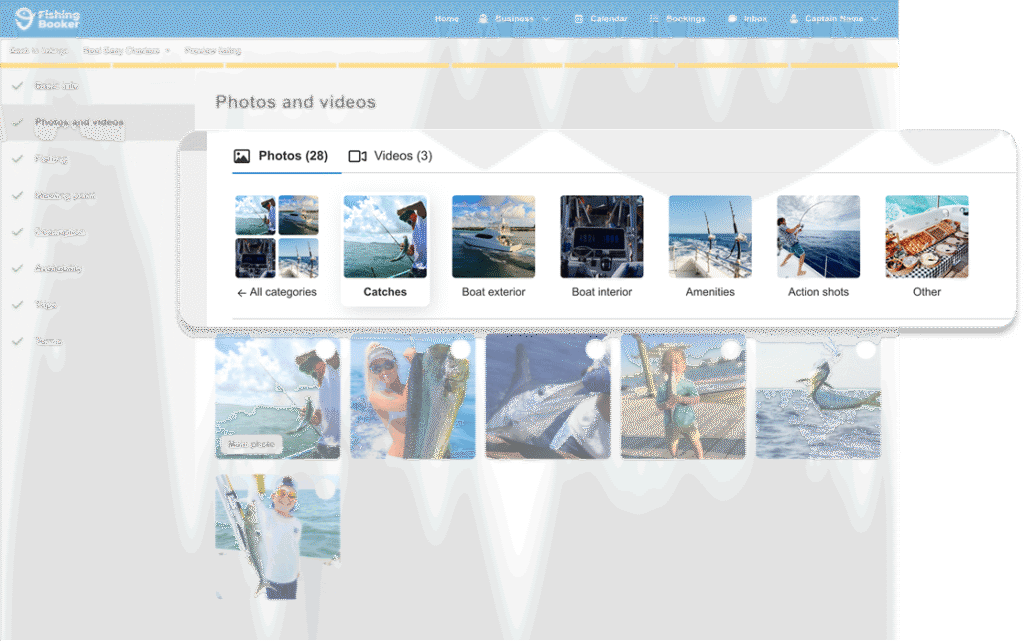
Your gallery is now organized by photo type, making it easy to see what you have, and what’s missing.
With the new gallery, you can:
- See your photos grouped into clear categories (boat exterior, catches, action shots, and more)
- Spot missing photo types at a glance
- Move photos between categories
- Select and delete multiple photos at once
- Move multiple photos to the front of your gallery (newest first)
You can also switch between two gallery modes:
- Categories (default) — manage photos by type
- Arrange photos — reorder how photos appear across your entire gallery
A well-organized gallery helps customers understand your offer faster — and makes your listing stand out.
👉 Read more: How the new Categorized Gallery works
💬 Message Support directly from your Inbox
No more switching between apps or waiting for email replies.
You can now contact Support without leaving FishingBooker:
- Start a conversation directly from the app or website
- Support replies appear in your Inbox, alongside customer messages
- Get help faster, right where you already work
👉 Read more: In-App Support in your FishingBooker Inbox
We’re just getting started
These updates are part of our ongoing work to make FishingBooker easier to use and better suited to how you actually work. We built them based on your feedback — and we’d love to hear what you think.
The post New: Categorized Gallery and In-App Support appeared first on FishingBooker Blog.
https://ift.tt/UdcQAKM
0 Comments
Enregistrer un commentaire